Nothing is kept
You use alarms and timers every day, but the time you measured disappears right away.
 Cotumo
A time tracker you can use instead of your clock app
Every alarm and timer becomes a record. The time you spend on sleep, workouts, and study builds up naturally in this iPhone time tracker.
Don't just measure it
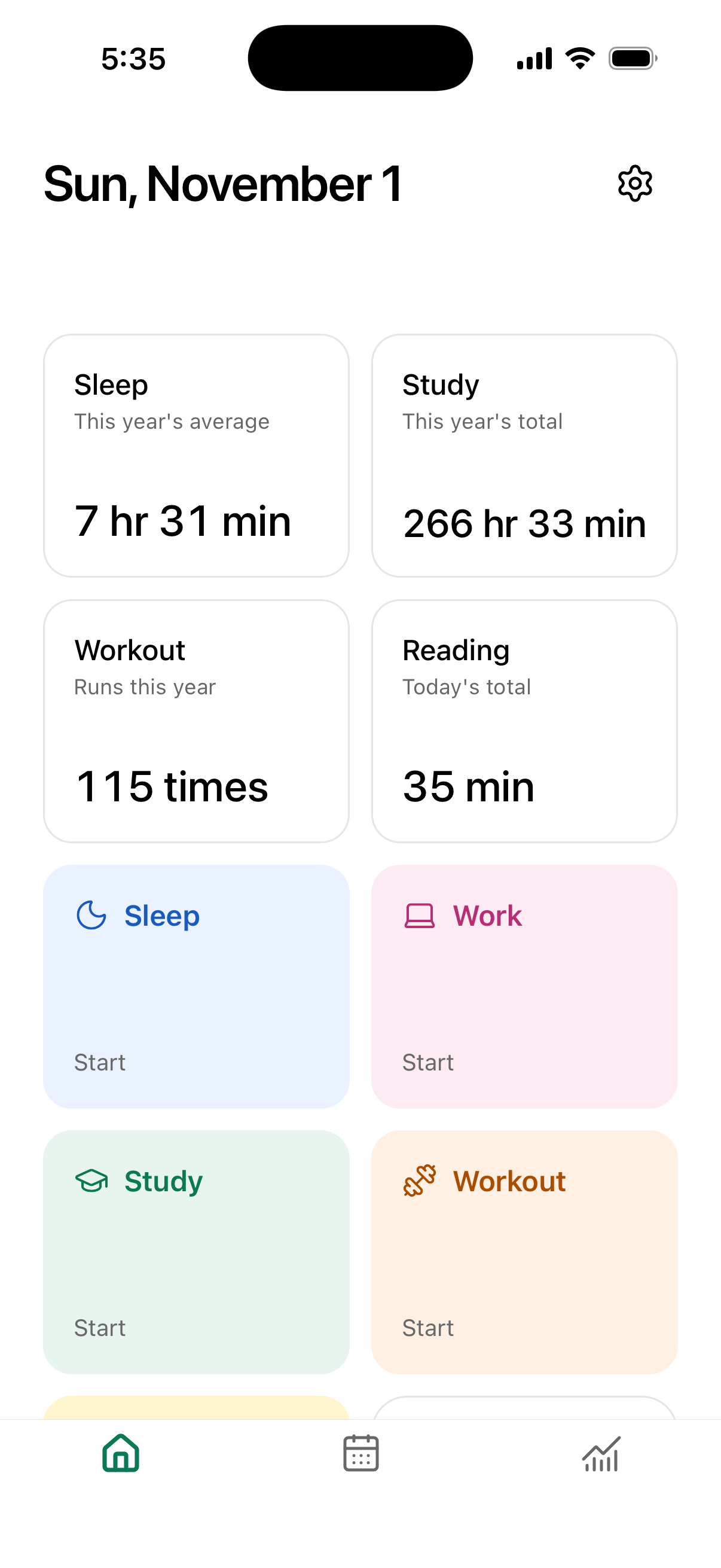
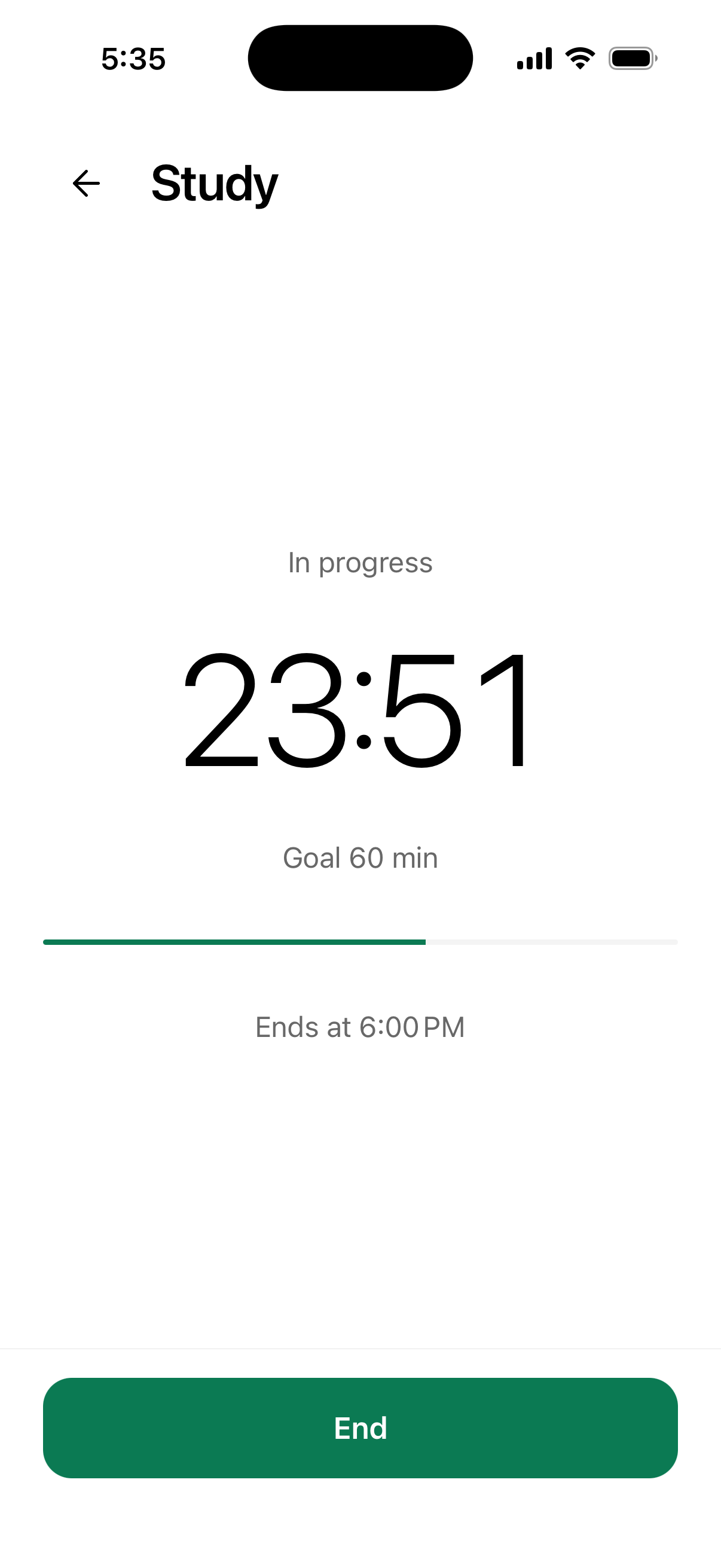
Time measured in a clock app disappears the moment you stop. Cotumo records your time every time you use an alarm or timer, and keeps your days in one place to look back on.
You use alarms and timers every day, but the time you measured disappears right away.
Using a separate tracking app alongside your clock makes keeping records a burden.
Without knowing how many hours go to sleep, work, and exercise, it's hard to notice what's off.
How it works
One record flows naturally from tracking into reflection.
Use sleep and workout timers, or create your own for work, reading, study, or anything else.
From a wake-up alarm to a goal-time timer, everything from start to finish becomes a record.
See your averages, how they compare with last week, your calendar, and your time breakdown whenever you need them.
More than one way to see the same record
Put frequent timers and useful summaries side by side. Colors and icons make the next action easy to find.
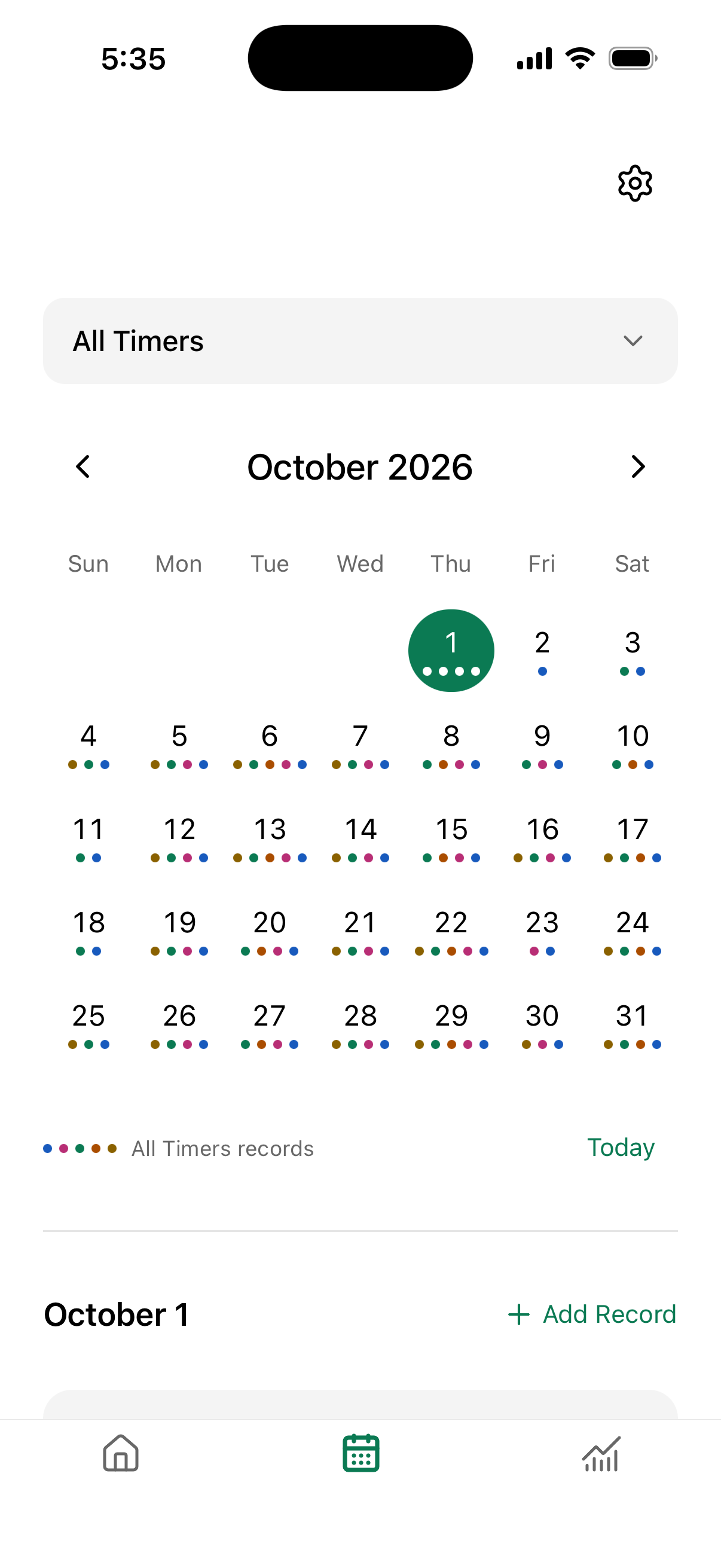
Records appear as colors on the calendar. View every timer together, or focus on a single activity.
Trends show your averages and how they compare with the previous period. The breakdown shows where your time went. Review by day, week, month, or year.
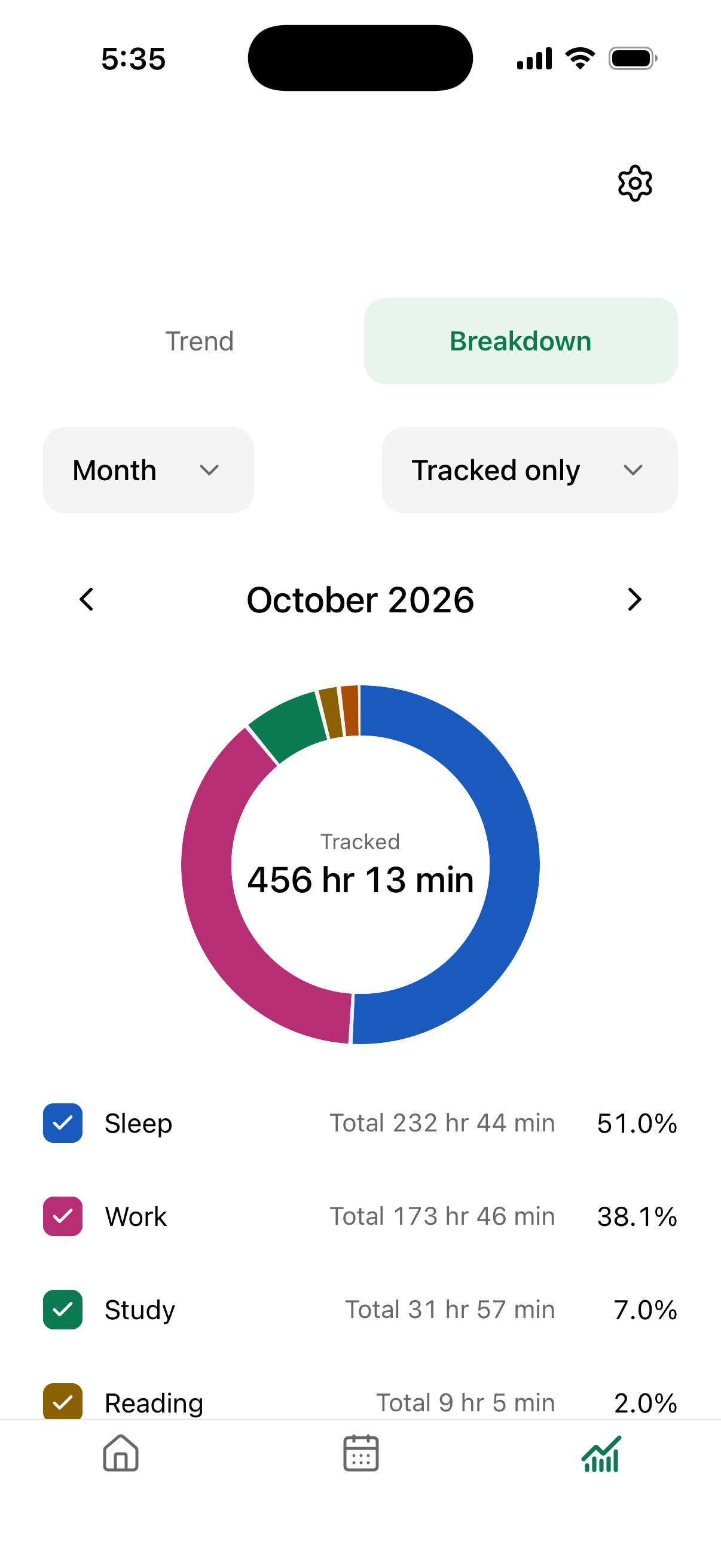
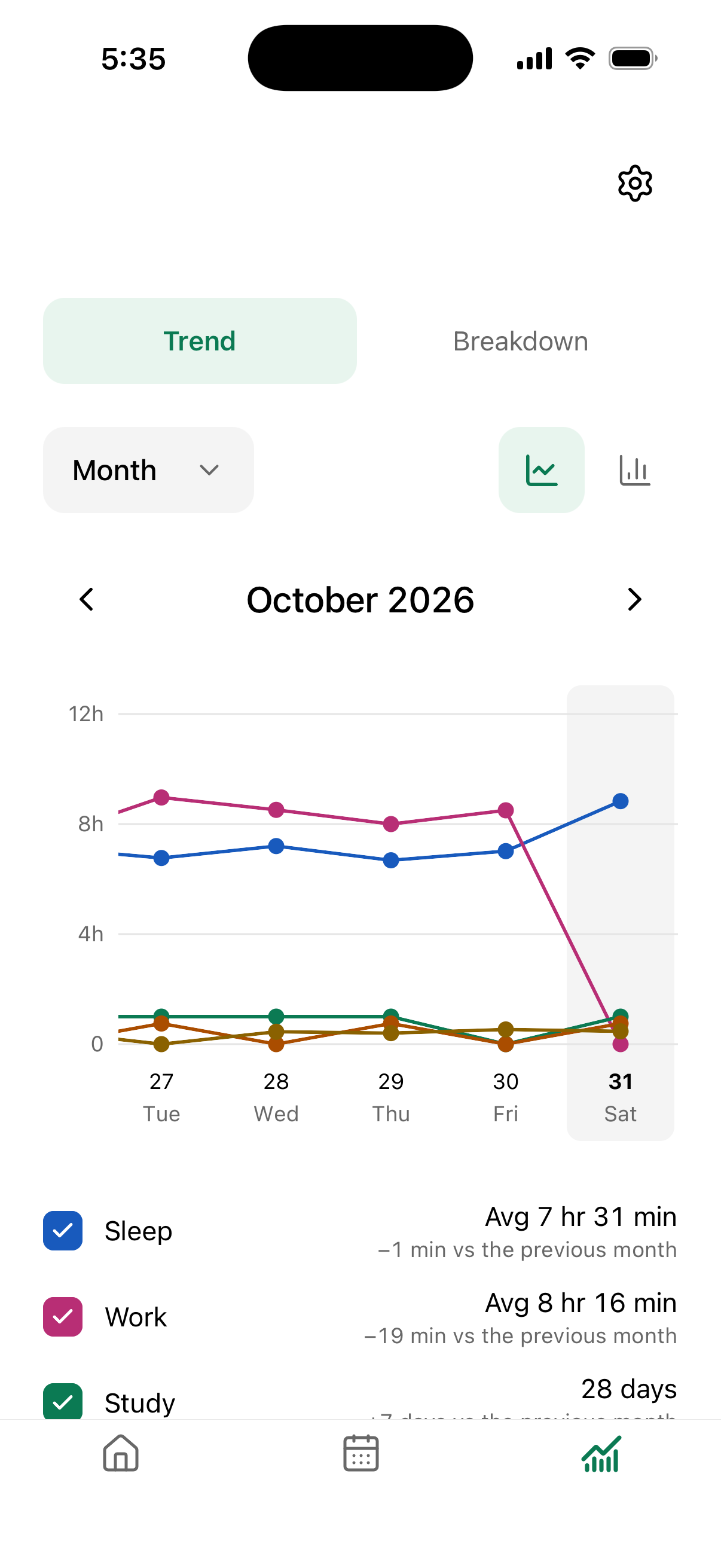
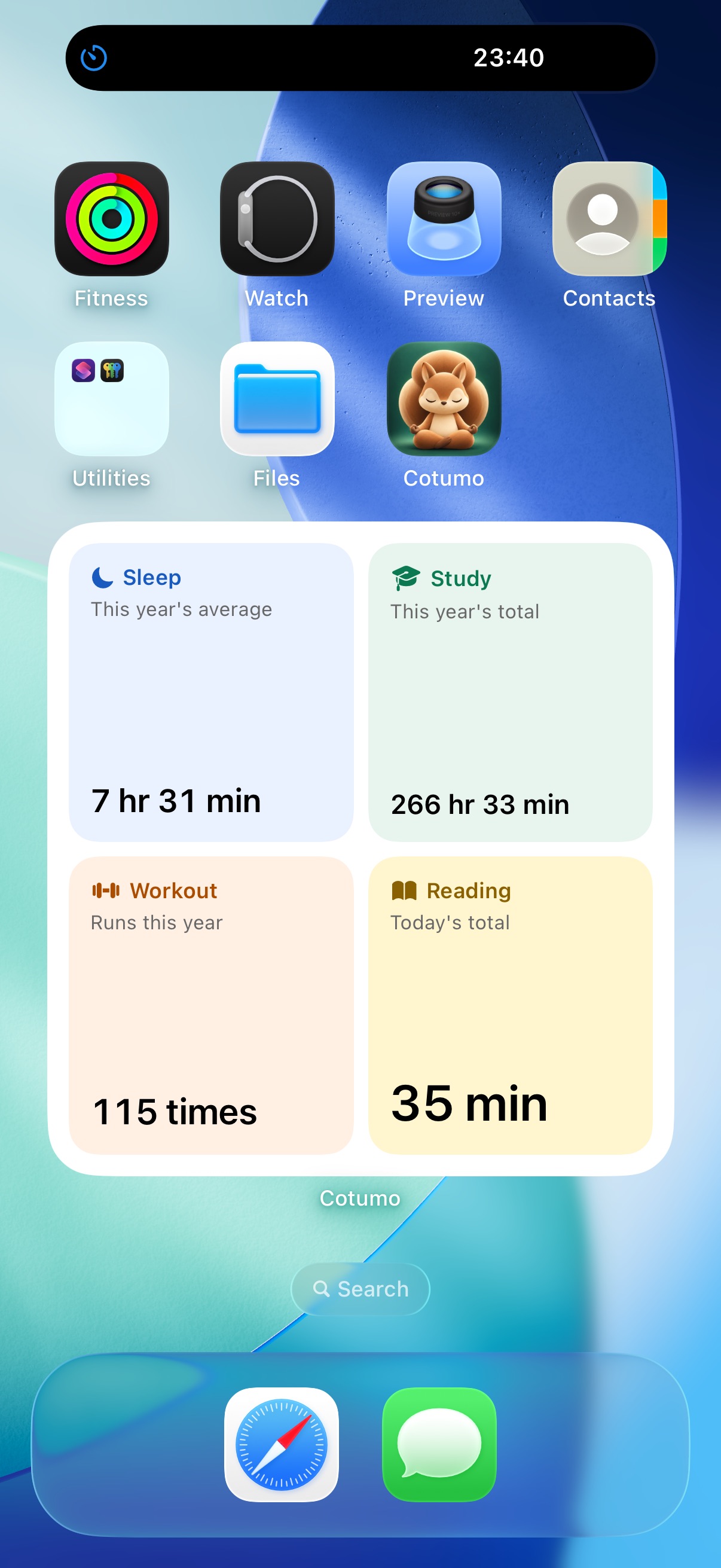
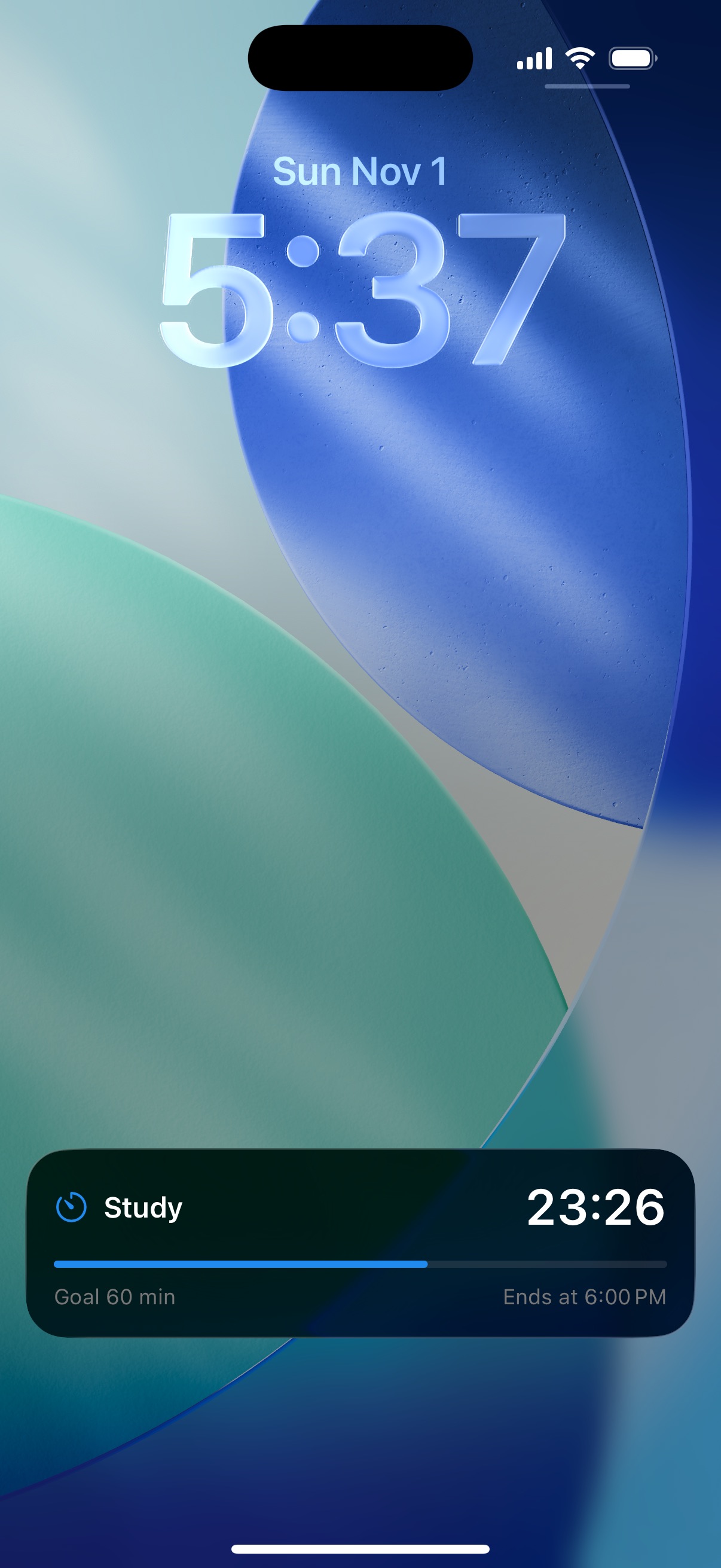
Show the summaries you care about in a Home Screen widget. While tracking, the time remaining appears on the Lock Screen and in the Dynamic Island.
Sample data
From sleep to work, study, reading, and workouts, different parts of your time share one clear view.
Screens and figures use sample data to demonstrate the app.
Privacy
No account is required. Records and settings, including timer names, stay on your device and are not sent to the developer's servers.
Anonymous usage data is sent only if you allow it. It never includes timer names or record contents, and you can stop sharing anytime in Settings.
Read the full privacy policyCommon questions
Alongside sleep and workouts, you can create color-coded timers for work, study, reading, creative time, or anything else.
Yes. Add, edit, or delete records from the calendar and analysis screens.
No. You can start using Cotumo immediately, with your records stored on your device.
Yes. Sharing is your choice, and you can change it anytime in Settings.
Cotumo
We are finishing the last steps before Cotumo arrives on the App Store.